Everystroke,counted.
Built by a rower, for rowers
Plan your week, log every session and get coaching that actually reads your data.
New in 1.1: RowMate Pro. Free to download, Pro is monthly or yearly.
Download on theApp Store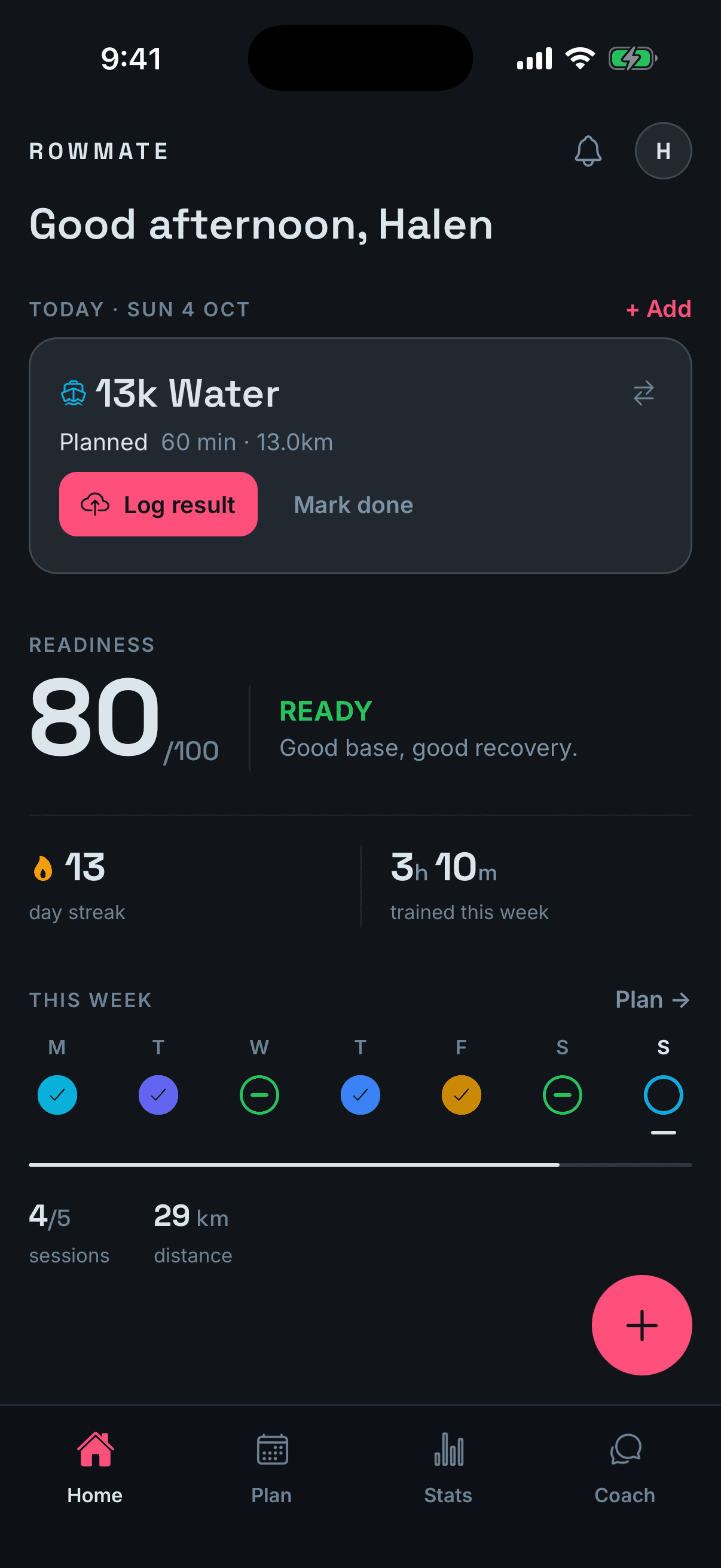
RowMate Pro
A coach that has read every session you've logged.
Pro works from your sessions, your morning check-ins and your training load, so every answer is about you, not rowers in general. Four things it does for you:
- 01
Coach chat
Ask anything, get the reasoning.
- 02
Reports
A weekly and monthly debrief.
- 03
Training blocks
Built around your club sessions.
- 04
Erg scan
Log a piece from a photo.
Coach chat
Ask why, not just what.
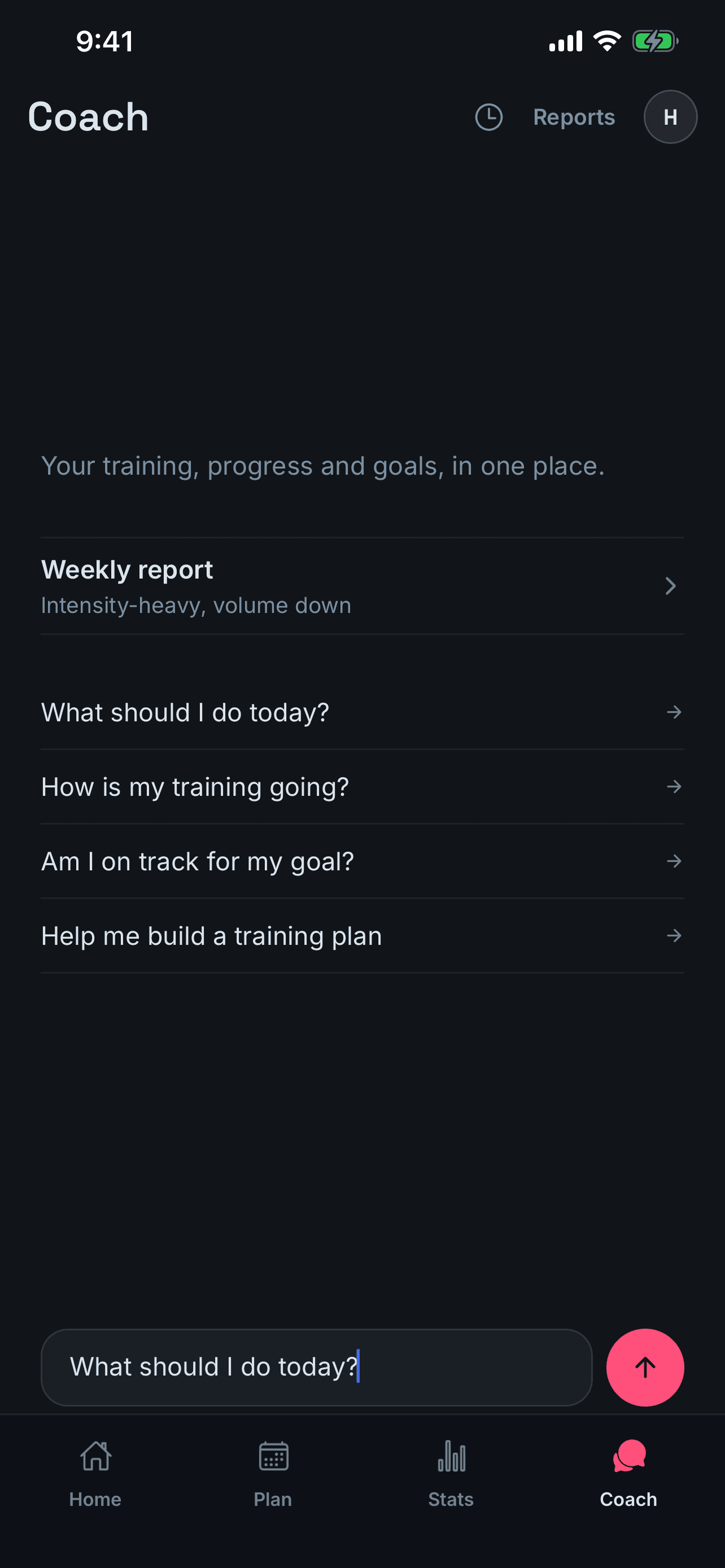
Should you train today? Are you on track for your 2k? Ask in plain words. The coach answers from your own log and shows its reasoning, so you can decide whether you agree.
- What should I do today?
- How is my training going?
- Am I on track for my goal?
- Help me build a training plan
Weekly and monthly reports
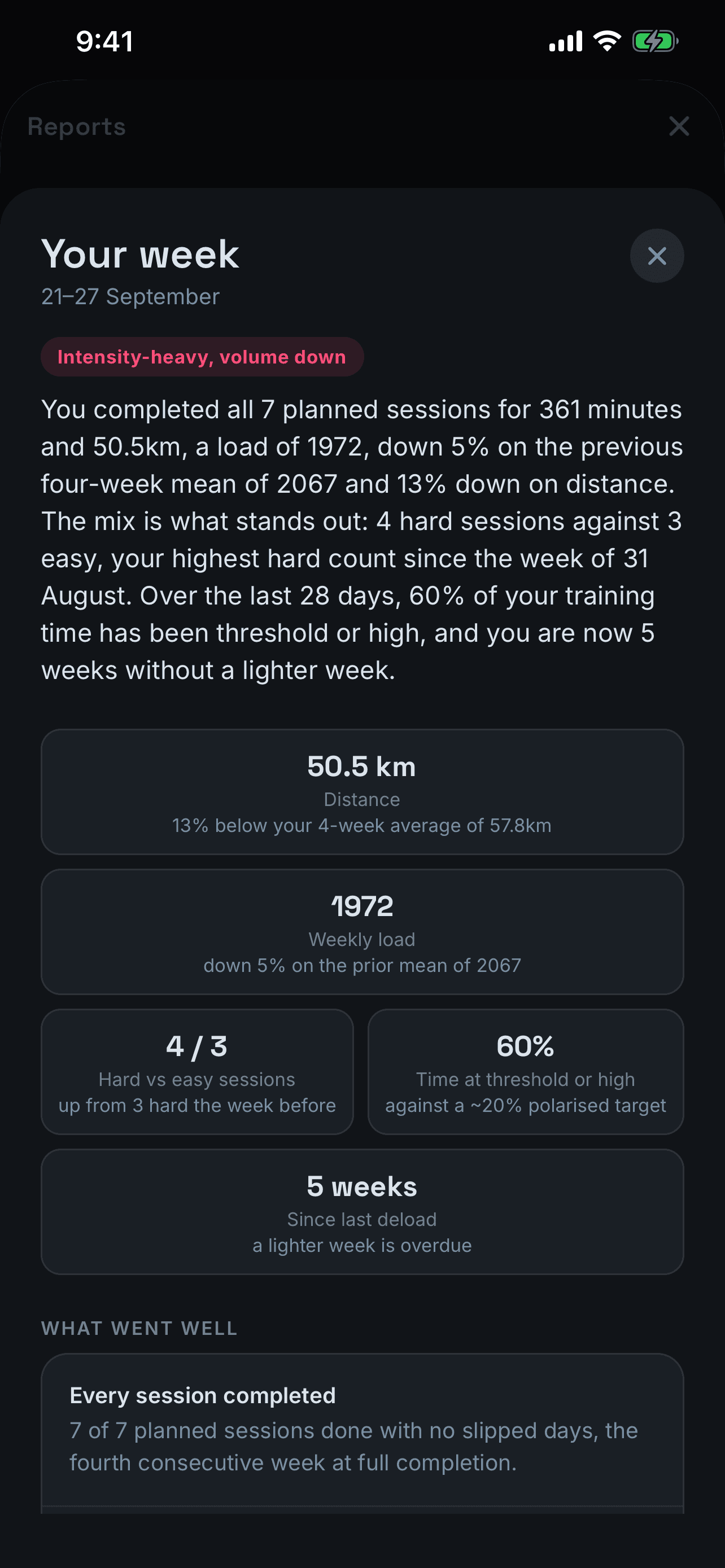
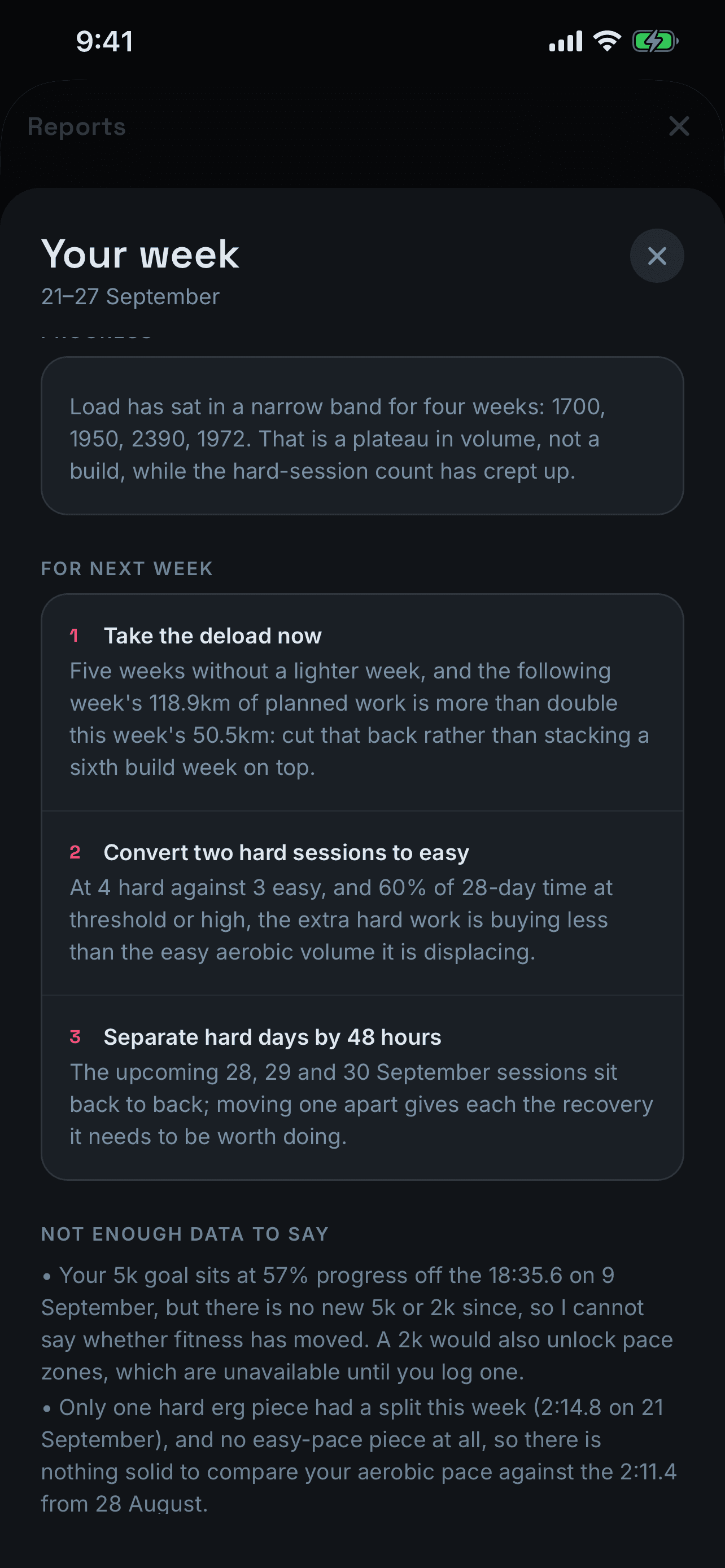
A debrief on every week.
What you did, how it compares with the weeks before, and the few things worth changing next week. When there isn't enough data to judge something, it says so instead of guessing.
Training blocks
Plans that work around your club.
Lock the sessions your club sets and the coach builds a block around them, from your last four weeks of training. It never moves a locked session, and nothing lands on your calendar until you approve it. Smaller changes work the same way: the coach proposes, you decide.
- Training for
- Your goal, or general fitness
- Length
- 2, 4, 6 or 8 weeks
- Days I can train
- Pick your weekdays
- Longest session
- 45 to 120 min
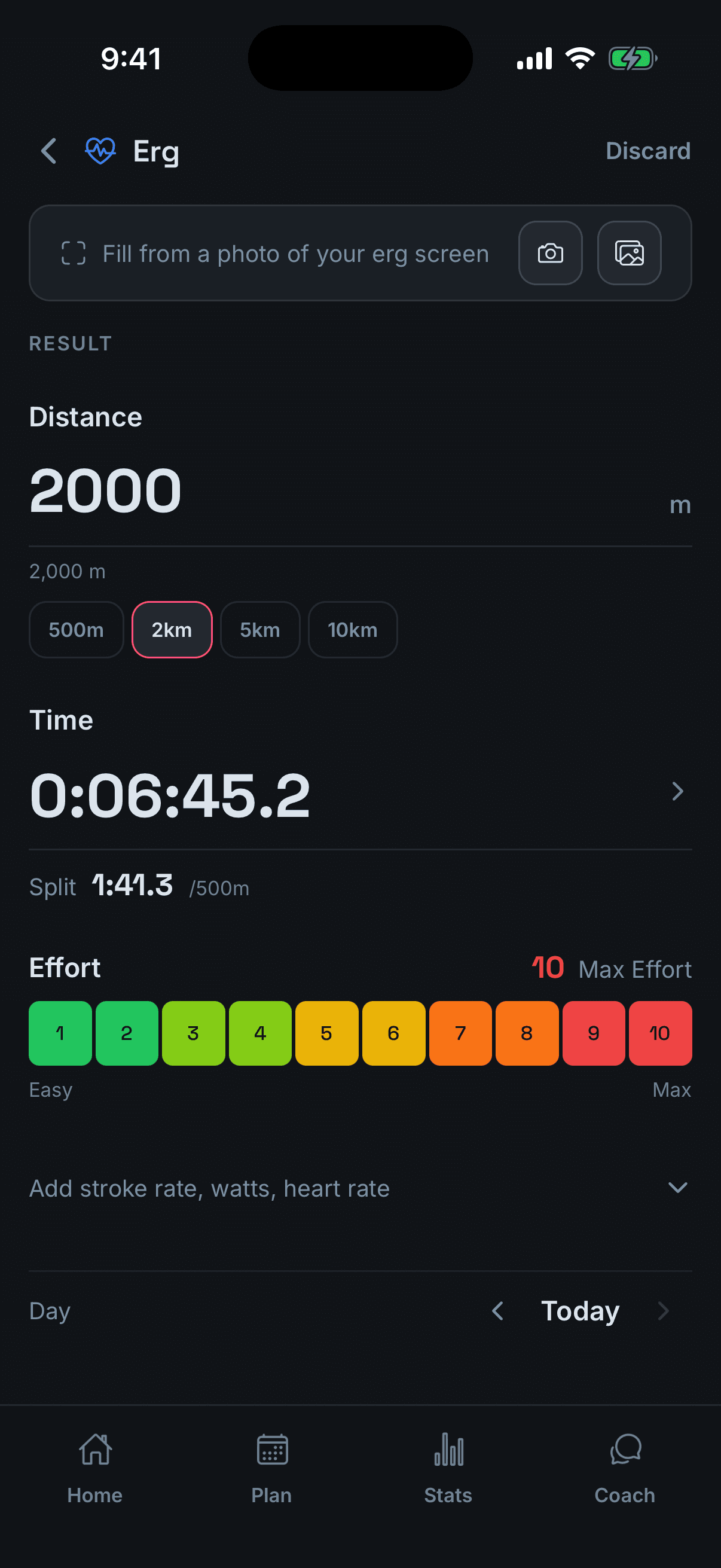
Erg scan
Photograph the monitor. Skip the typing.
Take a photo of the erg screen, or pick one from your camera roll, and the result fills itself in. Interval workouts are logged from the work pieces, not the rest.
Free, for everyone
Everything else stays free.
Plan the fortnight, log every session, check in each morning and watch the numbers move. No subscription needed.
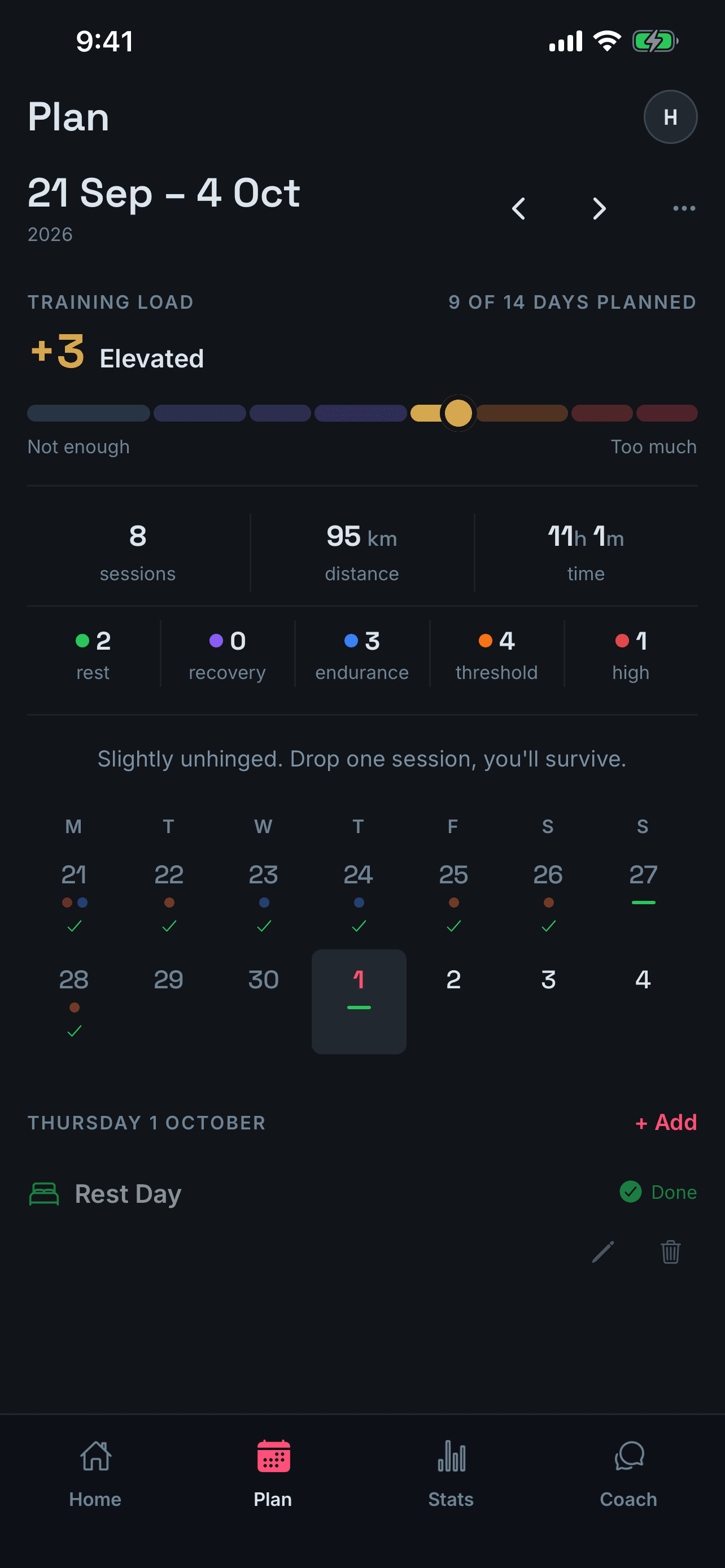
Plan
It scores the load as you plan, and tells you when you've overdone it.
Readiness
A morning check-in on sleep and soreness, measured against your own normal.
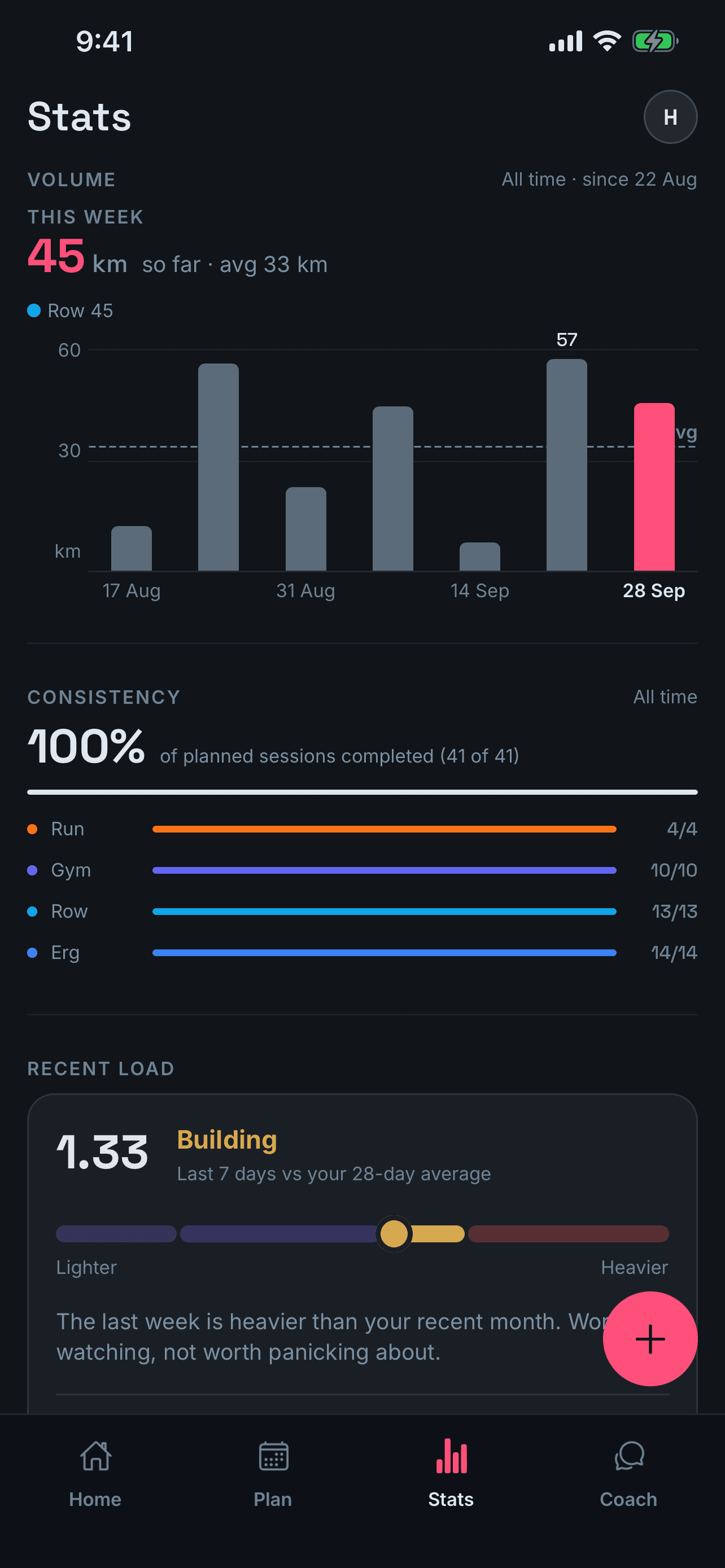
Stats
Volume, consistency and recent load, plus every personal best.
Free and Pro
What you get.
| Feature | Free | Pro |
|---|---|---|
| Plan, log and stats for six sports | ||
| Training load scored as you plan | ||
| Morning readiness check-in | ||
| Goals and personal bests | ||
| Coach chat, built on your own training | – | |
| The reasoning behind each day's session | – | |
| Weekly and monthly reports | – | |
| Training blocks around your club sessions | – | |
| Plan changes you approve before anything moves | – | |
| Erg screen scanning from a photo | – |
Pro is monthly or yearly, billed by Apple, and the app shows the price for your country. Cancel any time in your Apple ID settings.
Free tool
Distance, time, split, watts.
Fill any two, press Calculate, and the rest work themselves out. No account, no catch. Open the full calculator.
Fill in any two fields, then press Calculate. Times can be typed without a colon: 700 is 7:00, 145 is 1:45.
Get RowMate.
Free on iPhone. Add Pro whenever you want a coach.